
For a real estate agent, short videos do two jobs: they show listings to buyers who scroll instead of search, and they make you the agent people already know when they decide to move. Both depend on posting regularly. A few repeatable formats, a simple way to film properties for a vertical screen and an editing step that doesn't eat your evenings are enough.
This guide covers five formats that work for agents, how to film a walkthrough so it reads on a phone, the rules to respect in listing videos and where automatic editing saves the time.
Five formats that work for agents
1. The listing walkthrough
The classic. Keep it under a minute and start with the best room, not the front door.
- Hook: "This kitchen is why this apartment won't last."
- Body: three to five rooms, one sentence each, the detail a photo can't show: light, view, layout.
- Close: the neighborhood and how to book a visit.
2. The market update
You on camera, one number and what it means for buyers or sellers this month.
- Hook: "If you're selling in the spring, here's what changed."
- Body: the change, why it matters, one piece of advice.
3. The neighborhood guide
Three places a new resident would love: a café, a park, a school or a commute. Neighborhood videos keep working long after a listing is sold.
- Hook: "Three reasons families are moving to this neighborhood."
4. Three things buyers miss
Show what first-time buyers don't check: the water pressure, the light at 5 p.m., the noise from the street.
- Hook: "Check this before you fall in love with an apartment."
5. A client question
Answer a question you hear every week: deposits, fees, timing, negotiation.
- Hook: read the question aloud.
- Body: a direct answer and what you'd advise.
For more opening lines, see how to write a hook for the first seconds of a short-form video.
Film the property for a vertical screen
Buyers watch on phones, held upright. A few habits make walkthroughs read on that screen:
- Shoot vertical when you can. Vertical video fills the phone and keeps you and the room in the same frame.
- Move slowly and steadily. A small gimbal helps; so does walking half as fast as feels natural.
- Open curtains and turn on the lights. Light is what sells a room on video.
- Talk in short takes, room by room. One take per room is easier to cut than one long walk.
If you already have horizontal footage, it can still work: see how to adapt horizontal footage for vertical platforms.
Respect the rules in listing videos
- Get the owner's permission before filming and publishing a property, and keep personal items and family photos out of the shot.
- Be accurate. Price, size and features must match the listing; a video is advertising too.
- Follow your local advertising rules. Many places require your license or registration number in listing ads; check what applies to you before you post.
Let the editing keep up
A week of listings, updates and questions is a lot of raw footage: restarts, pauses, rooms filmed twice. Editing it by hand is where most agents stop posting.
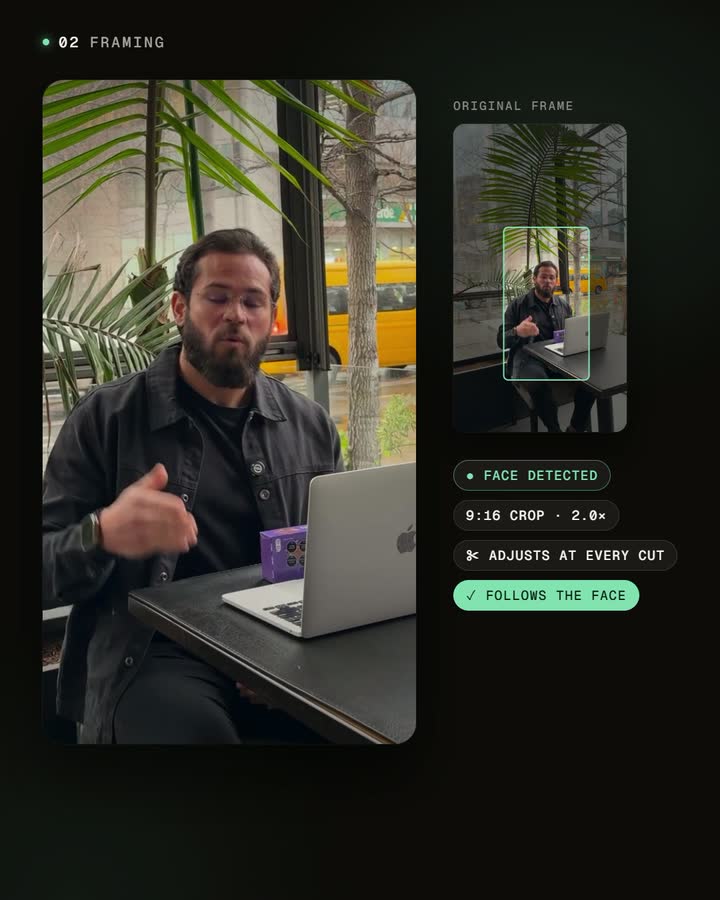
Automatic editing removes the pauses and repeated takes, adds captions and frames the talking parts for vertical. Captions are essential for listings: most people scroll with the sound off, and the price or the neighborhood on screen is what makes them stop.
Before you publish
- The first room or sentence is the strongest one.
- Price, size and address details are correct in captions and voice.
- Your license or registration appears where local rules require it.
- Nothing personal from the owners is visible.
For a fuller pass, use the video review and publishing checklist.
Frequently asked questions
How long should a listing video be?
Under a minute for social platforms. Show the three to five spaces that make the property different; the full tour belongs in the listing page.
Should I appear in listing videos?
Yes, at least at the start or end. People choose agents, not only properties, and your face is what they remember.
Can I make videos without a listing this week?
Yes. Market updates, neighborhood guides and client questions don't depend on inventory, and they keep you visible between listings.
Does automatic framing follow me as I walk through a property?
No. The crop is placed for each shot and stays fixed. For walking shots, film vertically or check the framing in the editor before you export.
Start with your next listing
Film your next listing in short takes, room by room, plus one market update and one neighborhood clip. Let automatic editing handle the cuts and captions, and post all three in the same week.


