
In a talking-head short, silence reads as hesitation. A pause that feels natural in conversation feels long on a phone screen, where the next video is one swipe away. Removing dead air, false starts, and repeated takes is the single edit that most improves the pace of a talking-head video.
This guide covers what to cut, what to keep, and how to do it without the video feeling choppy.
Why pauses hurt short-form video
- Viewers decide fast. A slow first few seconds is often the end of the view.
- Small screens magnify gaps. With no b-roll or music to fill them, a two-second pause is just a still face.
- Silence breaks the rhythm. Tight speech carries energy from one sentence to the next.
That doesn't mean every breath should go. The goal is a steady pace, not a breathless one.
What to cut and what to keep
Cut:
- Dead air between sentences, especially at the start and end of the recording.
- False starts: "So today I want to… so today I'm going to show you…" keeps only the second attempt.
- Repeated takes: when you said a line twice, keep the better delivery.
- Off-camera talk: asides to someone in the room, "is it recording?", and similar moments.
Keep:
- Short pauses that add meaning: the beat before a punchline, a pause after a surprising number.
- Natural breaths within a sentence, so the speech still sounds human.
- Reaction moments where your face says something words don't.
Jump cuts: why they work
Removing a pause from a single-camera recording creates a jump cut: the frame jumps slightly where the gap was. In talking-head shorts, viewers expect this. It signals pace, not a mistake. Two things make jump cuts feel smooth:
- Cut on sentence boundaries. Cutting in the middle of a word or breath sounds clipped.
- Change the framing occasionally. A small zoom on an important line hides the jump and adds emphasis.
How to do it by hand
- Find the gaps. In most editors, the audio waveform shows silences as flat sections. Mark each one.
- Cut and close the gap. Remove the section and join the clips. Check that no word lost its first or last sound.
- Find the retakes. Listen for repeated phrases and keep the best one.
- Review at full speed. Watch the whole video once without stopping; anything that still feels slow probably is.
This works, but it's slow: a few minutes of footage can hold dozens of cuts.
How to automate it
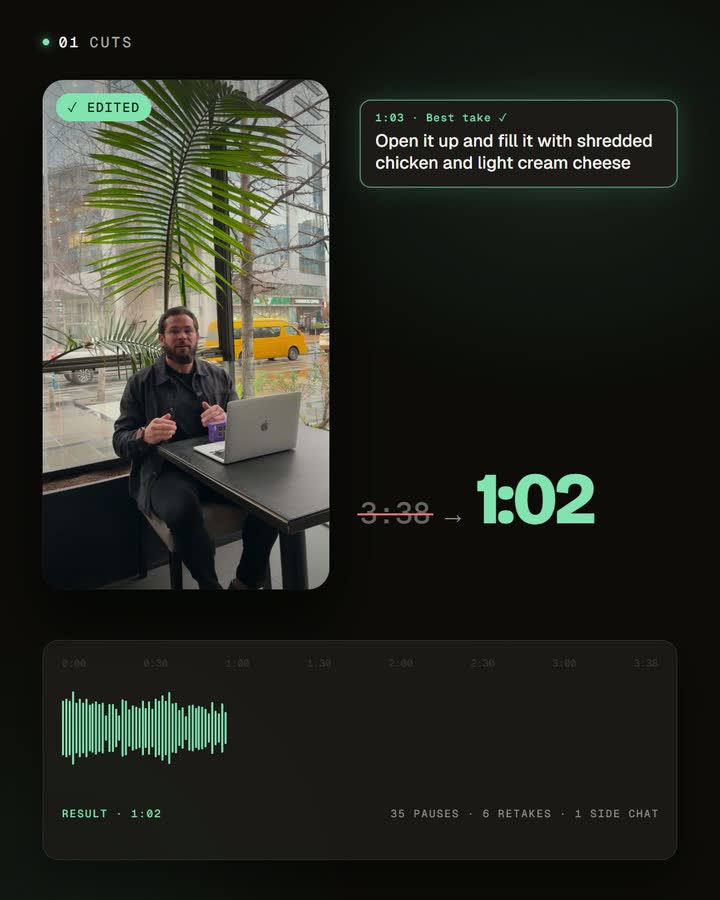
Automatic editing does the same job from the audio and the transcript. CutAgent removes silences and retakes automatically: it detects pauses in the audio, finds repeated lines in the transcript, keeps your best take, and joins the rest into one steady video, already framed and captioned. You review the result and bring back any cut you want to keep.

Record so the cuts are clean
- Pause before you restart. A clear beat between a fumble and the retry makes both easy to separate.
- Repeat the whole sentence. Restart from the beginning of the line instead of mid-sentence.
- Keep the room quiet. Background noise makes silences harder to detect.
For more on recording, see how to record a talking-head video on your phone.
Frequently asked questions
Will removing pauses make me sound rushed?
Not if short, meaningful pauses stay. Cut the dead air, keep the beats.
Are jump cuts unprofessional?
In short-form talking-head videos they're the norm. They read as pace.
What if a cut removes something I wanted?
Restore it in the editor. Your original clips stay untouched.
Do I need to mark my mistakes while recording?
No. Repeat the line and keep going; the retakes can be found from what you said.
Try it on your next recording
Record one idea without worrying about mistakes, remove the silences and retakes, and compare the length and feel with the original. The difference is usually obvious in the first ten seconds.


