
Submagic and CutAgent both edit talking-head shorts with AI, and both remove silences and bad takes. The difference is what each is built around. Submagic is a web toolkit built around animated captions: you upload a video, clean it up, then switch on the extras you want, such as a caption template, a hook title, B-roll, zooms, music and transitions. CutAgent is built around your takes: you upload everything you recorded, and the edit keeps your best take of every sentence, adds captions and frames you for vertical. Where Submagic saves you time on styling, CutAgent saves it on the part that comes before: sorting through your takes.
Two ways to remove bad takes
- Submagic removes bad takes as a cleanup step. Its step-by-step guide works with one uploaded video per project: after transcription, the Trim step offers AI options to remove silences and bad takes, and then you turn on the enhancements you want one by one. If you recorded in separate files, you combine them first.
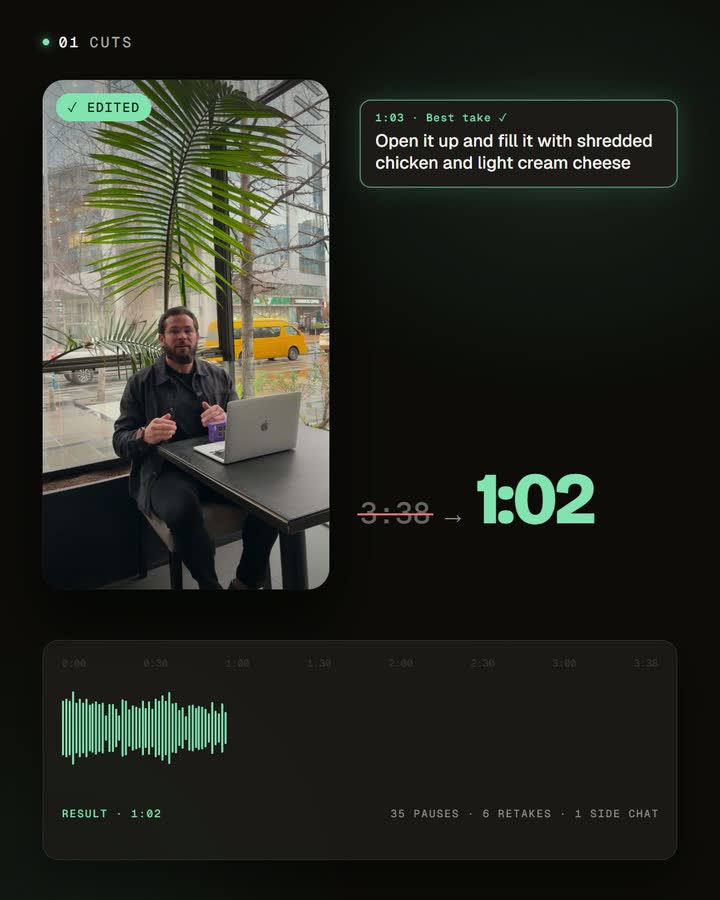
- CutAgent picks your best take of each sentence. You upload all your takes, and the automatic edit compares the repeated lines in the transcript and keeps the best version of each. Every removed part stays visible in the script, so you can check each decision and restore any cut on its own.
Submagic's documentation doesn't explain how it decides which take survives. That's the clearest difference for anyone who records a script in several attempts.
Where your time goes
If you record in one clean take, both tools get you to a captioned short quickly, and Submagic's style options take you further.
If you record the way most people do on camera, restarting a line until it sounds right, the slow part is the takes. You combine your files, run the cleanup, then check whether the right version of each sentence made it in. With CutAgent, the takes are the starting point: upload them, choose captions, framing and animations once, and review a finished short with every cut listed in the script. That's what makes it realistic to record a week of shorts in one session.
Side by side
| Submagic | CutAgent | |
|---|---|---|
| Your time | Saved on styling: captions, hooks, B-roll and effects in a few clicks | Saved on takes: your best take of each sentence, assembled for you |
| What you upload | One video per project; separate files are combined first | All the takes you recorded for a short |
| Bad takes and silences | AI options to remove silences (with a pace setting), bad takes and filler words | Silences and repeated takes removed in every edit, keeping the best take of each sentence |
| Reviewing the cuts | Trim editor where you can add parts back; the documented undo for the AI silence cut is resetting the project (help) | Each removed part stays in the script, greyed out, and can be restored on its own |
| Captions | Animated caption templates, Brand Kit and saved styles | Word-by-word captions in the language you speak, in a style you can customize and save |
| Vertical framing | Layout options (cover, contain, two faces) with a manual adjustment | Face detection places a 9:16 crop around the speaker |
| Extras | Stock B-roll, zoom styles, hook titles, music, sound effects, eye contact, long-video clipping, an API and publishing | Zoom animations, an opening text hook and your own supporting images |
| Best for | Styling and captioning videos at volume, agencies, long-video clipping | Talking-head shorts recorded in several takes |
When Submagic is the better choice
- Captions and styling are your priority. Its animated templates, Brand Kit and hook titles are its core.
- You want stock B-roll, music and effects added automatically.
- You also clip long videos, or you need an API, integrations and scheduling for a team or agency.
- You record in one clean take, so there's little to sort through.
When CutAgent is the better choice
- You record a script in several takes, restarting lines until they sound right.
- You want to see every cut and restore any one of them, not reset the whole edit.
- You want the speaker framed automatically for 9:16.
- You'd rather use your own images than stock footage.
Using both
They can work together. Let CutAgent assemble your best takes into a clean, framed short, then bring it into Submagic if you want one of its caption templates, stock B-roll or a sound effect. If you script your shorts before recording, see how to write a script for a talking-head short; recording it line by line is what gives the edit clean takes to choose from.
Frequently asked questions
Does Submagic remove bad takes?
Yes. Submagic has an AI option to remove bad takes and silences. What its documentation doesn't explain is how it chooses which take to keep; CutAgent compares the repeated lines in the transcript and keeps the best take of each sentence.
Which one has better captions?
Submagic is known for its animated caption templates and Brand Kit, and it's the stronger pick if styling is your priority. CutAgent's captions are word by word in the language you speak, in a style you customize and save.
Can I upload several takes at once?
In CutAgent, yes: upload all the takes of a short and the edit assembles them. Submagic's guide works with one video per project, and separate files are combined first.
Can I use both?
Yes. Assemble your best takes in CutAgent, then add Submagic's styling or B-roll if you want them.
Try it with your next multi-take recording
Record one script in a few takes, restarting any line you don't like. Upload all of them to CutAgent and check which take of each sentence it kept. Then decide how much styling the video still needs.
Disclosure: we make CutAgent. We've described Submagic from its own website, help center and API documentation, and current public sources, checked on October 24, 2026. Submagic changes often, so check its site for the latest features and prices.


