
OpusClip and CutAgent both use AI to make short vertical videos, but they start from different material. OpusClip takes a long video you already have, such as a podcast, webinar or stream, and finds the moments worth turning into clips. CutAgent takes the raw takes you record for a short and edits them into one finished video: pauses and retakes removed, captions added and the shot framed for vertical. If you have hours of long-form content, OpusClip saves you the time of searching it. If you want to make shorts directly, CutAgent saves you the time of editing them, and you never have to record a long video just to get one.
Two different starting points
- OpusClip mines long recordings. You upload a file or paste a link, and its AI looks for the strongest moments, cuts them out and formats them for vertical. Its own guidance recommends source videos between 15 and 180 minutes, because the AI needs enough material to choose from.
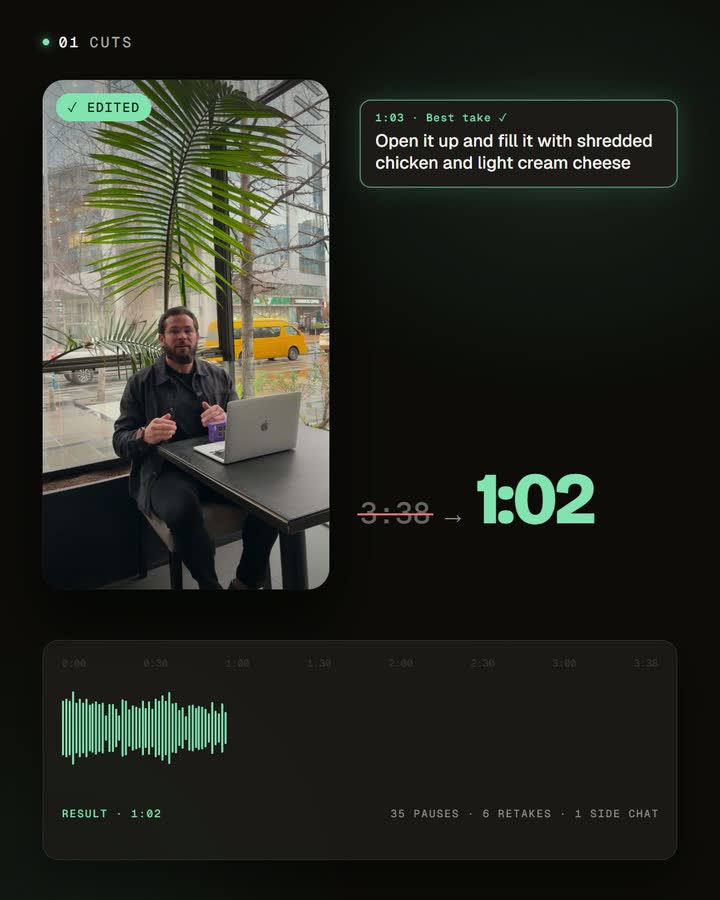
- CutAgent edits what you record on purpose. You record one idea for a short, in as many takes as you need, and upload them. The automatic edit removes the dead air and repeated lines, keeps your best take of each sentence, adds captions and frames you for vertical.
In short: OpusClip decides which part of a long video becomes a clip. CutAgent turns what you meant to say into a clean short.
Where each one saves time
The time you save depends on what you already have.
If you already publish long-form video, finding the good moments is the slow part. Watching an hour-long episode to pick three clips takes longer than the episode itself. OpusClip does that search for you and gives you candidates to review.
If you create shorts directly, the slow part is editing your takes. A few minutes of footage can hold dozens of pauses and restarts, and each one has to be found, cut and checked, before the captions and the vertical crop. CutAgent does that whole pass and returns a finished video to review. And you don't have to record a long video first: you record the short you actually want.
Side by side
| OpusClip | CutAgent | |
|---|---|---|
| Your time | Saved on finding moments in long recordings | Saved on editing your takes; no long recording needed |
| What you start with | A long video, ideally 15 to 180 minutes (OpusClip's best practices) | The raw takes of one short, recorded on purpose |
| What the AI decides | Which moments become clips, with a score for each | Which pauses and repeated takes to cut, keeping your best take |
| What you get | Several clips from one source video | One finished video of the idea you recorded |
| Captions | Animated captions | Word-by-word captions in the language you speak, in a style you can customize and save |
| Vertical framing | Reframing that follows the subject | Face detection places a 9:16 crop around the speaker |
| Best for | Podcasts, webinars, interviews, streams | Tips, explanations, product demos, answers recorded as shorts |
When OpusClip is the better choice
- You already record long-form video every week: a podcast, live streams, webinars, interviews.
- You want many clips from one recording and you're happy to review the AI's picks.
- Your best moments are unscripted: a guest's story, a reaction, a live answer you couldn't have planned.
When CutAgent is the better choice
- You make shorts on purpose, one idea at a time, and you know what you want to say.
- You record in several takes. CutAgent finds the repeated lines in the transcript and keeps the best one, so you can restart freely.
- You don't have long-form content, or you don't want to record it just to get a short.
- You want the finished video to be exactly your message, not a highlight chosen from something longer.
Using both
Many creators do both kinds of video. A practical split: use OpusClip on your weekly podcast or live stream to find clips, and use CutAgent for the shorts you record on purpose between episodes. For more on the first path, see how to turn a podcast episode into social clips.
Frequently asked questions
Can CutAgent cut clips out of a long podcast?
That isn't what it's built for. CutAgent edits the takes of one short into a finished video; to find highlights in a long recording, a clipping tool like OpusClip fits better.
Can I use OpusClip on a short recording?
OpusClip recommends long source videos, between 15 and 180 minutes, so its AI has enough material to choose from. For a short recorded on purpose, an editor of your takes fits better.
Which one is faster?
It depends on your material. For an hour of existing footage, a clipping tool saves the search. For a short you're about to record, an automatic edit saves the editing, and you don't need the long recording at all.
Can I use both?
Yes. Clip your long-form content with OpusClip and edit the shorts you record on purpose with CutAgent.
Pick by what you record
If your week starts with a long recording, start with a clipping tool. If it starts with an idea for a short, record it in a few takes and let CutAgent edit it. Try the second path once and compare the time it takes with how you make shorts today.
Disclosure: we make CutAgent. We've described OpusClip from its own documentation and current public sources, checked on October 23, 2026. OpusClip changes often, so check its site for the latest features and prices.


