
A short lesson snippet teaches one idea in about a minute, and it reaches students long before they sign up for a class or a course. Teachers and course creators already know how to explain; short video only asks you to explain one thing at a time, show it clearly and caption it so everyone can follow.
This guide covers five lesson snippet formats, how to show slides and diagrams, why captions matter for accessibility and how automatic editing turns a recording session into finished videos.
Why lesson snippets work
A one-minute explanation is a sample of your teaching. Students judge whether you explain well before they commit an hour, a semester or a payment. Snippets also serve your current students: a quick recap of a hard topic, available on their phone the night before the exam.
Five lesson snippet formats
Each format teaches one idea and ends with a reason to learn the next one.
1. One concept in 60 seconds
Define one idea, give one example and stop.
- Hook: "Photosynthesis in one minute, without the jargon."
- Body: the definition in plain words, one concrete example, the one detail students always forget.
2. The common mistake
Show the mistake you correct every year and why it happens.
- Hook: "If you write 'less people', this is for you."
- Body: the mistake, the rule, a correct example.
3. A worked example
Solve one problem step by step. Upload the problem as an image so it stays on screen while you talk.
- Hook: "Here's how to read this graph in three steps."
4. The quick quiz
Ask one question, pause, then answer it. Viewers stay to check whether they were right.
- Hook: "Can you answer this before I do?"
5. The course teaser
Teach a real piece of your course and say where the rest is. Giving value first is what makes the invitation credible.
- Hook: "Lesson 3 of my course in one minute."
For more opening lines, see how to write a hook for the first seconds of a short-form video.
Show the board, not just your face
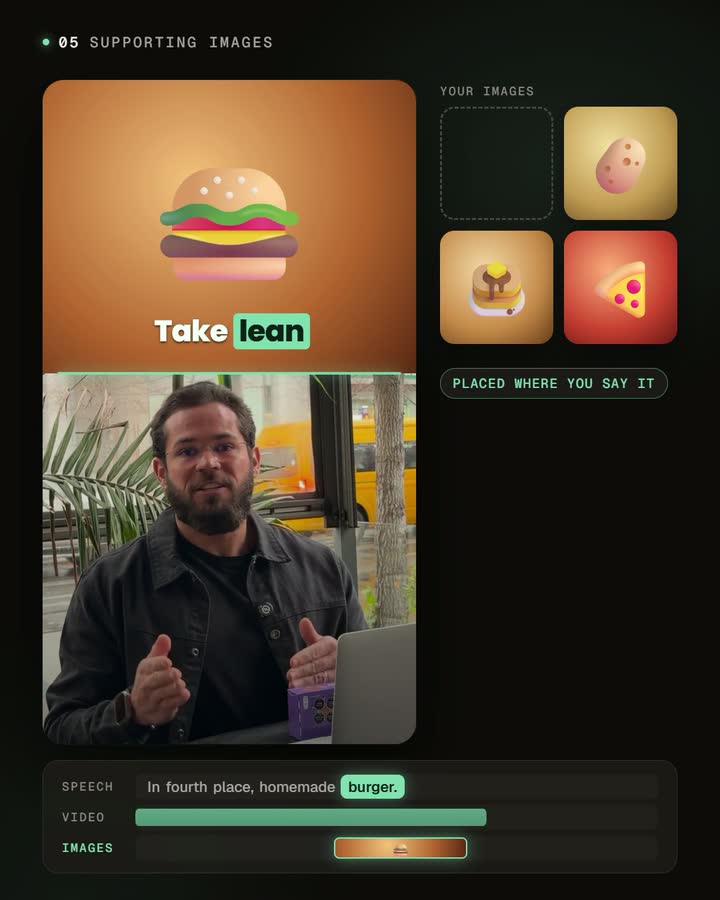
Some ideas need a diagram, a formula or a slide. Record yourself explaining it and add the visual as an image, so the viewer sees it at the moment you mention it.
Captions make lessons accessible
Captions help students who are deaf or hard of hearing, students learning in a second language and anyone watching in a quiet room. They need to be accurate: proofread names, terms and numbers, and include meaningful sounds when they matter. The W3C guidance on captions is a good reference (checked October 23, 2026), and so is our guide on how to add readable captions to short-form video.
Record a week of snippets in one session
- Pick one unit and five ideas from it.
- Prepare the visuals you'll need as images: a slide, a diagram, a problem.
- Record each idea as its own take. See how to record a talking-head video on your phone.
- Let automatic editing finish them and publish one a day.
Before you publish
- The snippet teaches exactly one idea.
- Terms, names and numbers are correct in the captions.
- The visual appears when you mention it and stays long enough to read.
- Nothing shows a student's name, face or work without permission.
Frequently asked questions
How long should a lesson snippet be?
About a minute. If an idea needs more, split it into two snippets.
Can I use my class recordings?
Yes, if you have permission for anyone who appears in them. Pick the moments that stand alone and see how to repurpose long-form video into short-form clips.
Are automatic captions accurate enough for teaching?
They're a strong first draft. Always proofread subject terms and names before publishing.
Which platforms should I use?
The same vertical snippet works on Instagram Reels, YouTube Shorts and TikTok, and you can share it with your students directly.
Start with your hardest topic
Choose the topic your students struggle with most, split it into five ideas, record them in one session and let automatic editing handle the rest. Next week, make snippets of whatever questions those videos bring.


