
Descript and CutAgent both remove pauses and retakes with AI, but they ask different things of you. Descript is an all-in-one editing studio: you edit your video like a document, record podcasts and screens, and direct an AI co-editor through chat. CutAgent does one job: you upload the raw takes of a talking-head short, choose a few options, and get a finished vertical video back, with pauses and retakes removed, captions added and the shot framed. The difference is time and attention: in Descript you direct and check each step; in CutAgent the finished short is the default, and you only review it.
Two ways to use AI for editing
- Descript puts AI inside an editor. Your footage becomes a transcript you can edit like a document, with tools such as Remove Filler Words and Remove Retakes. Its AI co-editor, Underlord, runs those tools and many more when you ask in a chat. Descript's own help page calls Underlord a beta and advises treating it like "a fast collaborator that needs clear instructions and regular check-ins".
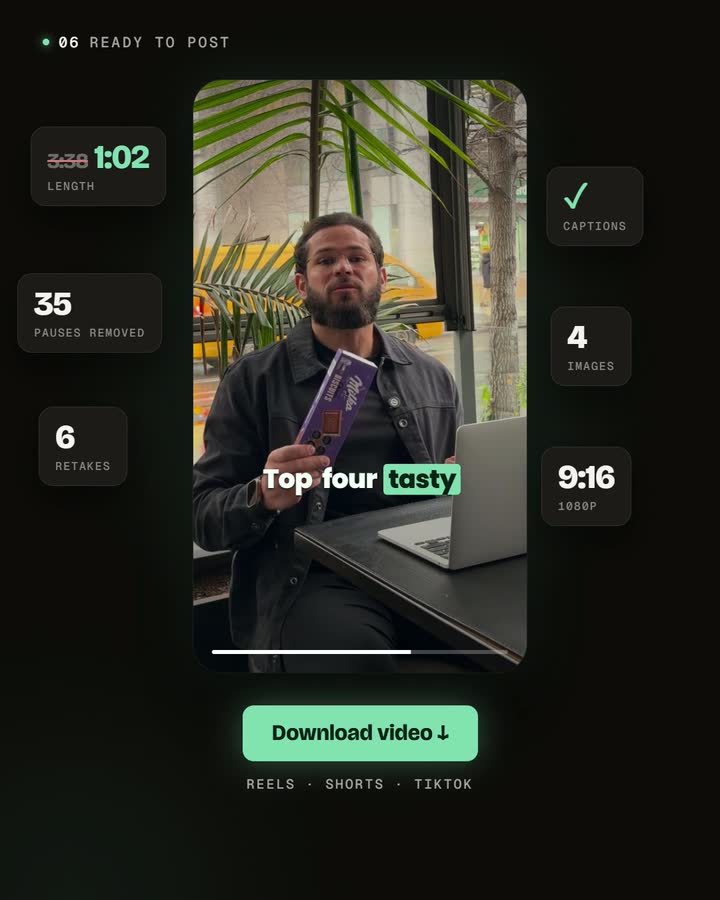
- CutAgent makes the edit the default. There are no prompts to write. Every upload goes through the same automatic edit: silences and repeated takes out, captions in, the speaker framed for 9:16. The editor is there to review and adjust, not where the work starts.
Where your time goes
With Descript, editing gets much faster than on a timeline, but you are still the editor. You decide which tools to run, write the instructions, check what changed, and then shape the result into a vertical short with captions and a layout. That control is valuable for a podcast episode or a tutorial; for a 40-second short you post several times a week, it's the same steps every time.
With CutAgent, those steps are already decided for the format. You record, upload, choose captions, framing and animations once, and review a finished video. Your time goes into recording and the final check, which is what makes it realistic to record once and publish a week of shorts.
Side by side
| Descript | CutAgent | |
|---|---|---|
| Your time | Faster than a timeline; you direct and check each step | Choose a few options once; review a finished short |
| How you work | Edit the transcript like a document, or ask the AI co-editor in a chat | Upload your takes; the edit is built for you |
| Retakes and filler words | Remove Retakes and Remove Filler Words tools, run by you or by the co-editor | Removed in every edit by default, keeping your best take |
| Vertical shorts | One of many outputs; clips and vertical layouts are steps you set up | Every edit is a vertical short framed on the speaker |
| Captions | Captions and translation | Word-by-word captions in the language you speak, in a style you can customize and save |
| Range | Podcasts, multitrack and remote recording, screen recording, Studio Sound, AI voices and avatars | Talking-head shorts |
| Best for | Podcasts, tutorials, long-form and teams that edit in one workspace | Creators who record shorts and want them finished without editing |
When Descript is the better choice
- You make podcasts or long-form video. Multitrack editing, remote recording with guests and webinar imports are built in.
- You want a full studio in one place: screen recording, audio cleanup with Studio Sound, AI voices and avatars.
- You like editing by text and want fine control over every sentence.
- You're happy to direct an AI co-editor and check its work as you go.
When CutAgent is the better choice
- You make short talking-head videos: tips, explanations, product demos, answers to questions.
- You don't want to write prompts or learn an editor. The automatic edit runs the same way every time.
- You record in several takes and want the best one kept without picking it yourself.
- You publish often and want each short to come back finished, vertical and captioned.
Using both
They fit together well if you make both kinds of content. Edit your podcast or long tutorial in Descript, where its studio tools shine, and send the shorts you record on purpose through CutAgent. For turning long content into clips, see how to repurpose long-form video into short-form clips.
Frequently asked questions
Can Descript remove retakes automatically?
Yes. Descript has a Remove Retakes tool, and its AI co-editor can run it when you ask. CutAgent removes silences and repeated takes as part of every edit, without a prompt.
Is CutAgent a text-based editor like Descript?
CutAgent's editor shows your script, with the removed parts greyed out, so you can restore a cut or adjust captions. But you don't edit from the transcript to start: the automatic edit does that first.
Which one is better for podcasts?
Descript. Multitrack and remote recording, long-form editing and audio cleanup are what it's built for. CutAgent is built for short talking-head videos.
Can I use both?
Yes. Use Descript for long-form and podcasts, and CutAgent for the shorts you record on purpose.
Try the same short both ways
Record one idea in a few takes. Edit it once in Descript, directing each step, and once with CutAgent's automatic edit. Compare how long each took and how much you had to decide yourself.
Disclosure: we make CutAgent. We've described Descript from its own website and help center, and current public sources, checked on October 24, 2026. Descript changes often, so check its site for the latest features and prices.


